Why Basic Cyber Security Tips Are Your Business’s Lifeline
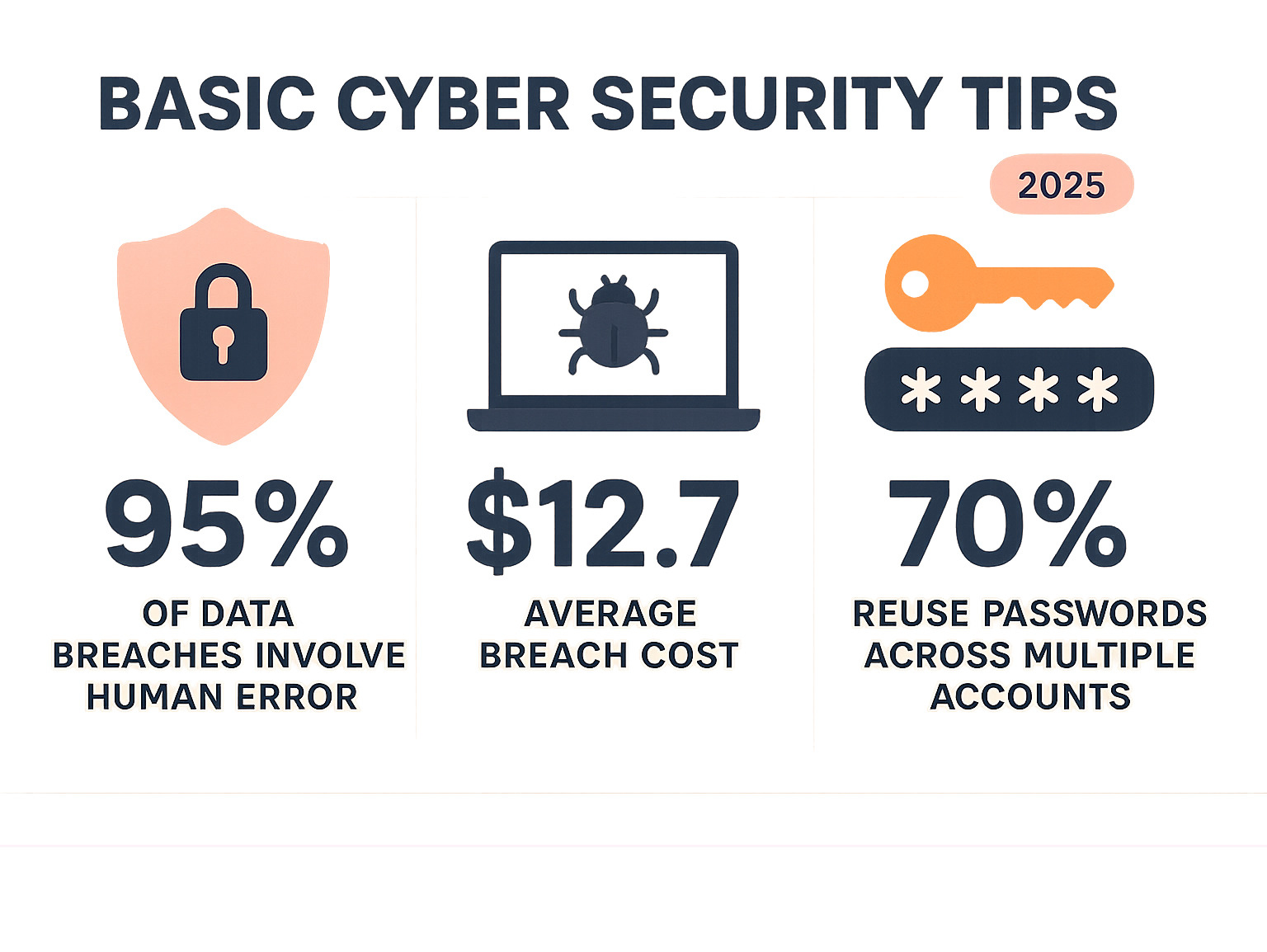
Basic cyber security tips are no longer optional for entrepreneurs and small business owners – they’re essential survival skills in today’s digital landscape. With cybercrime projected to cause over $639 billion in losses in the United States by 2025, and the average data breach costing $12.7 million, protecting your digital assets has never been more critical.
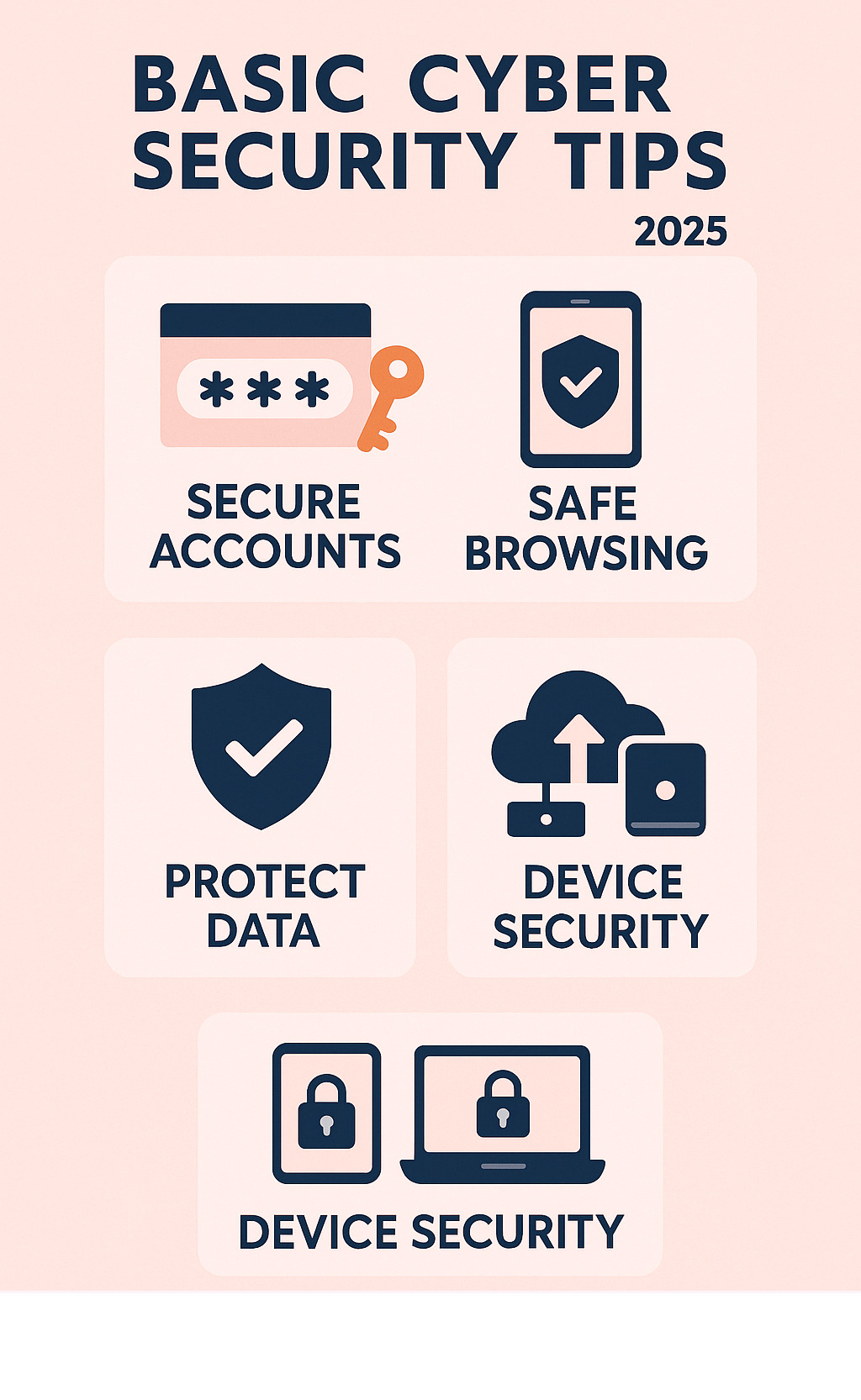
Here are the essential basic cyber security tips every entrepreneur needs to know:
1. Secure Your Accounts
- Use strong, unique passwords for every account (at least 16 characters)
- Enable multi-factor authentication (MFA) on all important accounts
- Use a password manager to generate and store passwords
2. Keep Everything Updated
- Turn on automatic updates for operating systems and applications
- Install security patches immediately when available
- Replace outdated hardware and software regularly
3. Stay Alert Online
- Think before clicking suspicious links or attachments
- Verify unexpected emails by calling the sender directly
- Use a VPN on public Wi-Fi networks
4. Protect Your Data
- Back up important data regularly using the 3-2-1 rule
- Use antivirus software and firewalls
- Encrypt sensitive information
5. Secure Your Devices
- Lock all devices with strong PINs or biometrics
- Use standard user accounts for daily tasks (not administrator accounts)
- Enable device tracking features
The reality is stark: human error contributes to 95% of data breaches, with 80% of incidents linked to just 8% of staff members. As one cybersecurity expert puts it: “You are a target to hackers. Don’t ever say, ‘It won’t happen to me.’ We are all at risk and the stakes are high.”
But here’s the good news – basic cyber security doesn’t have to take a great deal of effort. Simple, consistent habits can dramatically reduce your risk. The key is building what experts call “cyber hygiene” – the digital equivalent of washing your hands.
Fortifying Your Digital Identity: Passwords, Authentication, and Updates
Think of your digital identity as the foundation of your entire online presence. Just like you wouldn’t leave your office door wide open, you shouldn’t leave your digital accounts vulnerable to attack. This section covers the essential basic cyber security tips for creating strong defenses around your accounts and the software that powers your business.
Master Your Passwords: Your First Line of Defense
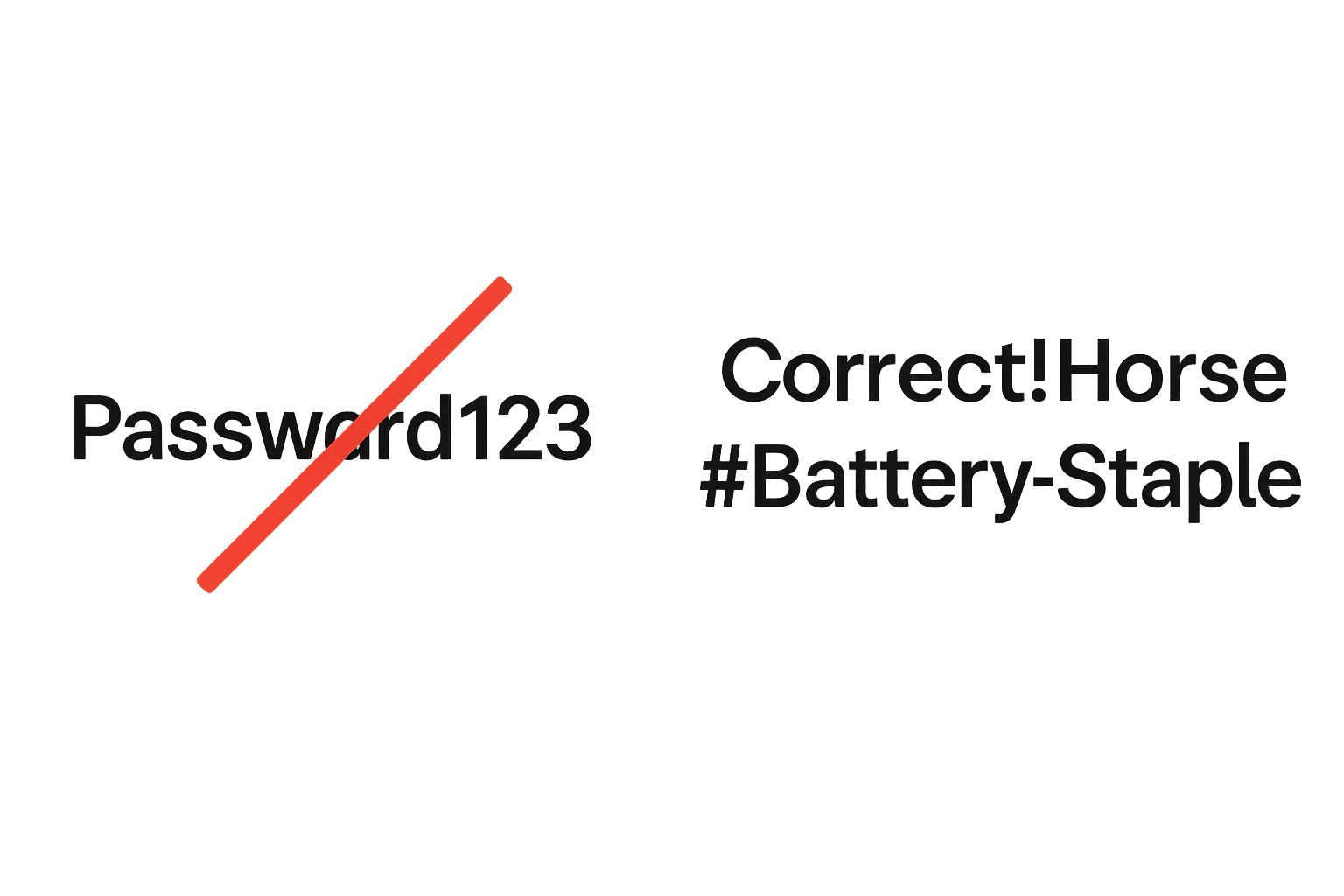
Here’s a reality check that might surprise you: the most common password is still “password,” followed closely by “123456.” If you’re using passwords like these, you’re essentially leaving your front door open uped with a welcome mat for hackers.
Why Length Beats Complexity Every Time
The math behind password security is eye-opening. An eight-character password can be cracked by modern hacking software in just a few minutes. But stretch that same password to 16 characters? It would take a billion years to crack. That’s the power of length over complexity.
The National Institute of Standards and Technology (NIST) has moved away from recommending complex symbols and numbers. Instead, they champion passphrases – combinations of random words that are both secure and memorable.
Instead of struggling to remember “P@ssw0rd1,” try something like “Crystal!Onion#Clay-Pretzel” or “Correct!Horse#Battery-Staple.” These are much easier to remember and exponentially harder to crack.
The Dangerous Game of Password Reuse
Here’s where many people stumble: 70% of people don’t use unique passwords for each website or app. This creates a devastating domino effect. When one account gets breached, hackers can suddenly access all your other accounts using the same credentials.
Consider this sobering fact: the average person manages over 160 online accounts. Remembering unique passwords for each one is humanly impossible – unless you have the right tool.
Password Managers: Your Digital Security Vault
A password manager is like having a master key to a secure vault containing all your passwords. You only need to remember one strong master password, and the manager handles everything else. These tools are game-changers because they can generate strong, random passwords for every account, store them securely with military-grade encryption, and fill them in automatically when you log in.
But that’s not all. A good password manager will also identify weak or reused passwords in your existing accounts and alert you to data breaches affecting your stored credentials. When choosing a password manager, look for reputable options with strong security track records and positive reviews from trusted sources.
Enable Multi-Factor Authentication (MFA): The Essential Security Layer
Think of multi-factor authentication as adding a second deadbolt to your door. Even if someone manages to steal your password, they still can’t get in without that second layer of protection.
What Makes MFA Your Security Superpower
MFA works by requiring two or more different types of credentials. You need something you know (your password), something you have (like your phone or a security token), and sometimes something you are (like your fingerprint or face scan).
This layered approach makes it exponentially harder for cybercriminals to access your accounts. Even if they have your password, they’d need physical access to your phone or your biometric data to complete the login – and that’s a much taller order.
Where to Enable MFA First
Start with these critical accounts: your primary email account (this is often the master key to resetting other passwords), banking and financial accounts, social media accounts, cloud storage services, and work-related accounts.
The stakes are higher than you might think. Research shows that 51% of account takeovers target social media accounts, while 32% target banking accounts. Protecting these with MFA significantly reduces your risk of becoming a victim.
Your MFA Options Explained
You have several choices for MFA. SMS codes are convenient but less secure due to SIM swapping attacks where hackers steal your phone number. Authenticator apps are more secure than SMS and generate time-based codes that refresh every 30 seconds. Physical security keys offer the highest level of security and are recommended by major tech companies for their most sensitive accounts.
Keep Your Software Updated: Closing the Door on Hackers
Software updates might seem like annoying interruptions to your workday, but they’re actually critical security patches that close vulnerabilities hackers actively exploit. Think of updates as fixing holes in your digital armor before the bad guys find them.
Why Updates Are Your Silent Guardians
Cybercriminals don’t just randomly attack systems – they actively search for and exploit known vulnerabilities in outdated software. When developers find these security flaws, they race to release patches that fix them. The window between findy and patching is when you’re most vulnerable to attack.
What Needs Your Update Attention
Keep these essential components current: your operating systems (Windows, macOS, iOS, Android), web browsers (Chrome, Firefox, Safari, Edge), applications and plugins, antivirus software, and even your router firmware. Each of these represents a potential entry point for attackers.
Making Updates Effortless
Enable automatic updates wherever possible. This ensures you receive security patches immediately without having to remember to check manually. Most systems allow you to schedule updates for times that won’t disrupt your work, such as overnight or during lunch breaks. It’s one of the simplest basic cyber security tips you can implement, yet it provides tremendous protection against known threats.
Navigating the Web Safely: Spotting Scams and Securing Connections
The internet is a brilliant tool for business, but it is also full of digital pickpockets. By learning a few street-smart habits, you can browse confidently without giving criminals an easy payday.
Recognize and Avoid Phishing: Don’t Take the Bait
Phishing is a scam where attackers pose as someone you trust to steal logins, credit-card numbers, or other sensitive data. Modern phishing emails often look almost perfect, so focus on the red flags:
- Generic greetings (“Dear Customer”) or urgent language (“Account suspended!”)
- Sender addresses that don’t match the real domain
- Links that display one address but point somewhere else—always hover to check the URL first
- Unexpected attachments or requests for personal info
Phishing is now spread by text (“smishing”) and on social media as well. When in doubt, contact the company through a phone number or website you look up yourself. For more background, see the phishing entry on Wikipedia.
Use Public Wi-Fi with Caution (and a VPN)
Free Wi-Fi is handy, but the traffic is often unencrypted, making it easy for attackers to snoop or run “man-in-the-middle” attacks. A Virtual Private Network (VPN) fixes this by creating an encrypted tunnel between your device and the internet, keeping passwords, emails, and payments private. If you work from cafés, airports, or hotels, running a trusted VPN should be as automatic as buckling a seat belt.
Install Antivirus and Enable Your Firewall
Good antivirus software constantly scans for malware—ransomware, spyware, Trojans—and blocks it before trouble starts. Your firewall acts like a bouncer, deciding which traffic gets in or out. Use the built-in firewall on your operating system, keep it on, and update all security tools automatically. Layering these defences with smart browsing habits gives you strong, low-maintenance protection.
Protecting Your Assets: Essential Basic Cyber Security Tips for Your Data and Devices
Your files, photos, and hardware are the lifeblood of your company. A few preventive steps can keep them safe from accidents, thieves, and malware.
Back Up Your Data: Peace of Mind in Three Numbers
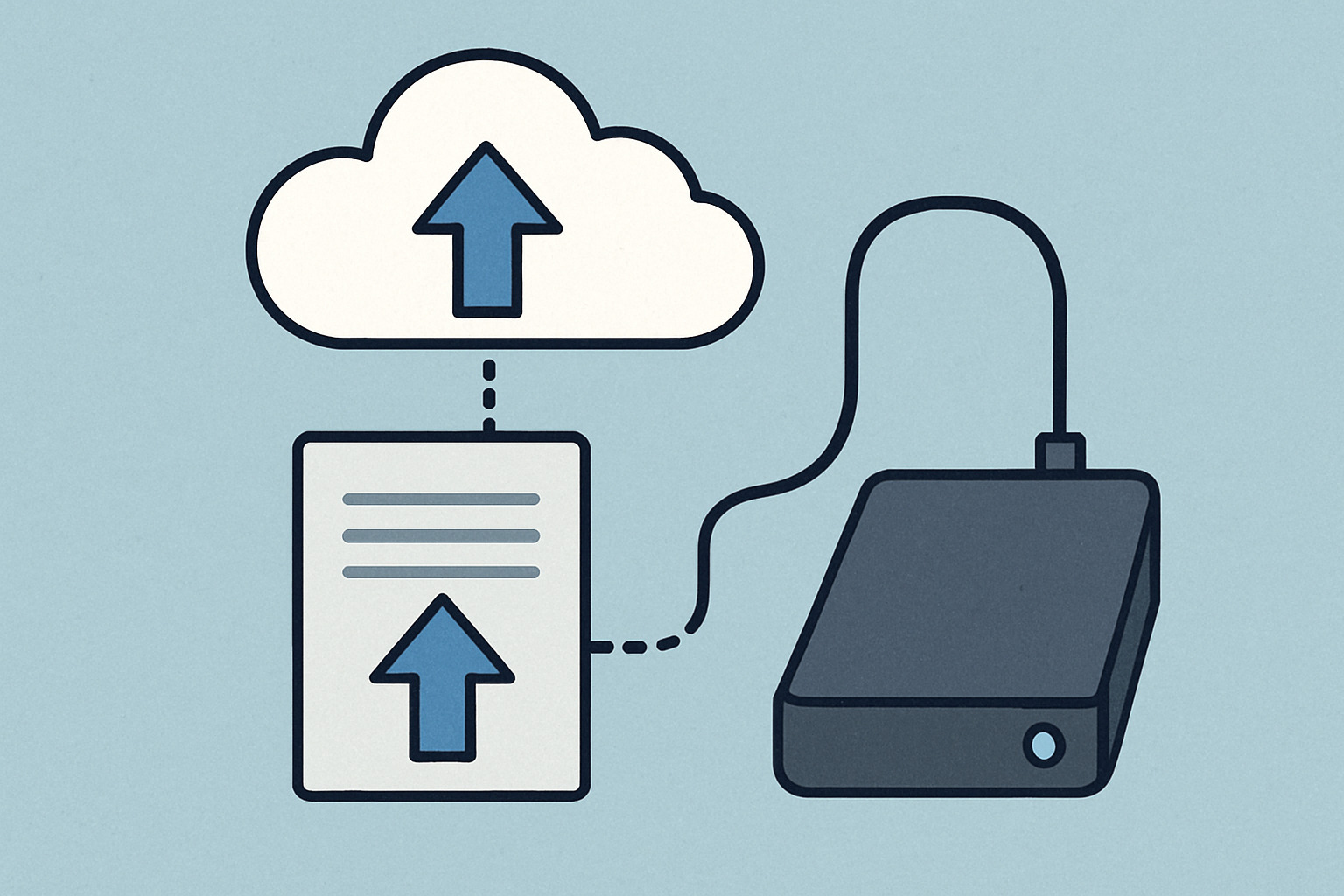
Follow the 3-2-1 rule: keep 3 copies of important data, on 2 different media, with 1 copy off-site (usually in the cloud). Automate backups so you never forget, and test restores occasionally to be sure everything works.
Secure Your Devices: Phones, Laptops, and Smart Gadgets
- Use a strong PIN, passcode, or biometrics, and set screens to lock automatically.
- Install apps only from official stores and keep the OS updated.
- Disable Bluetooth when you’re not using it and turn on “Find My Device” features for fast recovery or remote wipe.
- On computers, work from a standard (non-admin) account, enable the firewall, and run reputable antivirus software.
- For smart-home and IoT gear, change default passwords, update firmware, and, if possible, place these devices on a separate Wi-Fi network.
Need more device-specific guidance? Browse our Tech Category.
Protect Personal Information (PII) and Physical Security
Oversharing on social media—such as posting real-time travel plans or photos of IDs—helps attackers build convincing scams. Review privacy settings regularly and think before you post. In public places, watch for “shoulder surfing,” use privacy screens, and never leave devices unattended.
For details on how we handle your data, see our Privacy Policy.
Dispose of Old Devices Properly
Before selling or recycling electronics, back up what you need, sign out of all accounts, and perform a factory reset. For highly sensitive data, wipe drives with dedicated software or physically destroy the storage media. A few minutes of care prevents years of potential identity-theft headaches.
Frequently Asked Questions about Basic Cyber Security
Let’s address the most common questions entrepreneurs ask about protecting their digital assets. These answers will help you prioritize your security efforts and avoid common misconceptions.
What is the single most important cybersecurity tip for a beginner?
If you only do one thing to protect yourself online, secure your key accounts. This means creating a long, unique password or passphrase for each account, storing them safely with a password manager, and enabling multi-factor authentication (MFA) everywhere it’s offered.
Your primary email account deserves special attention here. Think of it as the master key to your digital life – when hackers want to reset passwords for your other accounts, they’ll target your email first. Once they control your email, they can access your banking, social media, and business accounts.
The beauty of this approach is that it tackles the biggest vulnerabilities at once. You’re protecting against password reuse (which affects 70% of people), weak passwords (the top cause of data breaches), and single-factor authentication (which leaves accounts wide open even with strong passwords).
Do I really need to worry about cybersecurity as an individual?
Yes, you absolutely do. Here’s why this “it won’t happen to me” thinking is dangerous: cybercriminals don’t discriminate by business size or personal wealth. They use automated tools that scan millions of devices and accounts, looking for easy targets.
These automated attacks are like digital burglars checking every door handle in a neighborhood. They don’t care if you’re a Fortune 500 company or a solo entrepreneur working from your kitchen table. A single breach can lead to identity theft, financial loss, and access to all your linked accounts.
The numbers tell the story. With cybercrime projected to cause over $639 billion in losses and the average data breach costing $12.7 million, the stakes are incredibly high. Human error contributes to 95% of data breaches, often starting with one person clicking the wrong link or using a weak password.
The good news? Basic cyber security tips don’t require a huge investment of time or money. Simple, consistent habits can dramatically reduce your risk and keep you off the hackers’ easy target list.
How often should I change my passwords?
This might surprise you, but you should no longer change passwords on a regular schedule. The old advice of changing passwords every 90 days is outdated and actually makes you less secure.
Here’s what happens when people are forced to change passwords frequently: they create weaker passwords with minor variations (“Password1” becomes “Password2”), reuse old passwords, or write them down in unsecure places. The National Institute of Standards and Technology (NIST) recognized this problem and updated their guidelines.
If your password is strong, unique, and stored in a password manager, you only need to change it in two situations: when you suspect an account has been compromised or when you’re notified of a data breach involving that service.
Focus your energy on creating strong passwords initially rather than changing mediocre ones constantly. A 16-character passphrase that never changes is infinitely more secure than a weak password that gets updated monthly.
Conclusion
Building strong cyber hygiene doesn’t happen overnight, but every small step makes a significant impact. By implementing these basic cyber security tips, you’re not just protecting your business – you’re building a foundation for long-term success in our digital economy.
Cybersecurity is an ongoing process, not a one-time setup. As threats evolve, so should your defenses. The key is to start with these fundamentals and gradually build more sophisticated protections as your business grows.
The most important takeaway? Being “cybersmart is contagious.” When you implement these practices, you’re not only protecting yourself but also contributing to a safer digital environment for everyone. Your proactive approach to security can inspire employees, customers, and fellow entrepreneurs to take their own digital safety seriously.
Start today with the most impactful changes: secure your passwords with a manager, enable MFA on critical accounts, and set up automatic updates. These three steps alone will dramatically reduce your risk profile.
For a deeper dive into protecting your digital life and business, explore our complete guide on How to Stay Safe Online: Essential Cybersecurity Tips. Your future self – and your business – will thank you for taking action today.